Numerical Methods (E)
← ChE 555: Applied Mathematics & Modeling for Chemical Engineers
- Solution of balances (simultaneous equations) on spreadsheet using EXCEL's SOLVER.
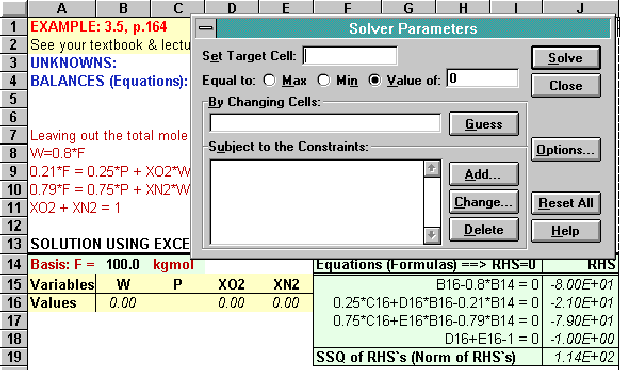
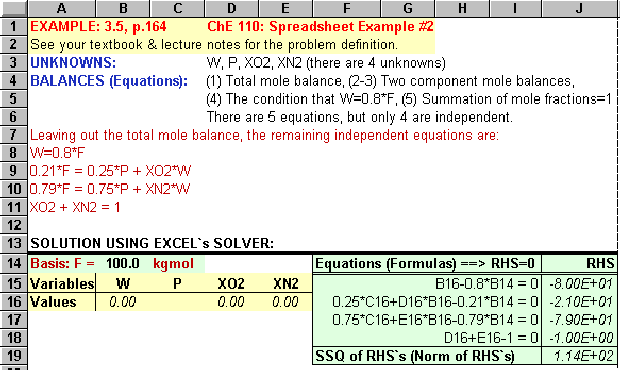 A: Select "Solver" from the "Tools" menu. Clear contents of all boxes, if they are not empty. Press the "Add" button to specify the right-hand sides (RHS) of the balance equations to zero (constraints).
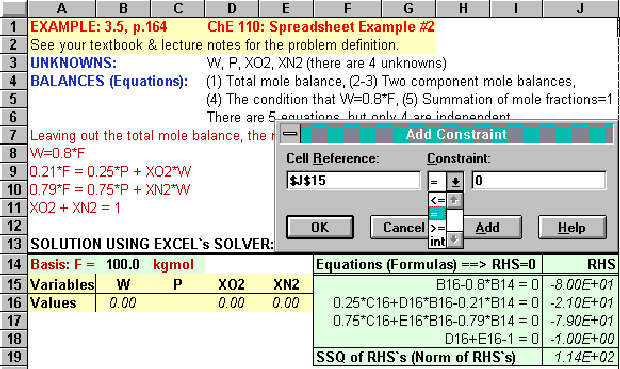
 B: Select each RHS cell by mouse. Select "=" as the constraint type (middle box). Set RHS value to zero (key in). Press the "Add" button for each equation, however, when you enter the last equation, press "OK".
 C: Specify the variables (unknowns) by first having the cursor in the "By Changing Cells" box. Then, select cells B16 through E16 by mouse.
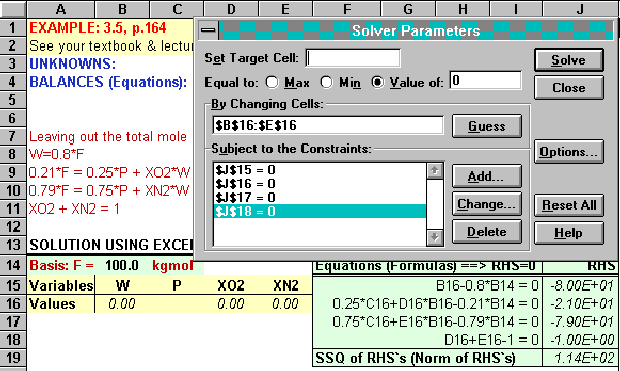 D: Fill in the suggested Solver Options (optional).
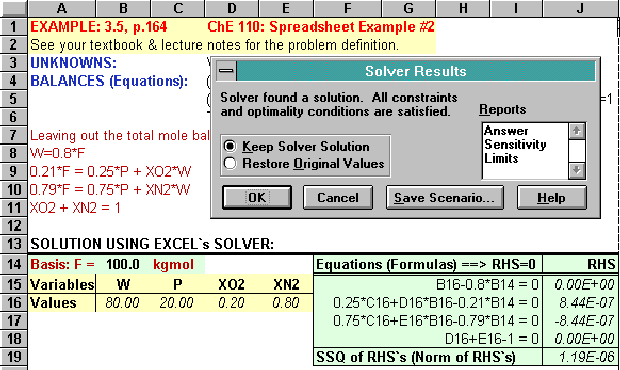
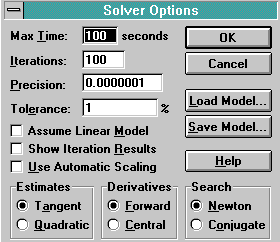 E: Press the "Solve" button to start the solver iterations. Check the RHS values; are they all zero (or very close to zero) ? See the final (converged) values of the variables (values of the unknowns); are they reasonable ?